How to Start an Online Store: Complete Beginner's Guide 2026
This guide walks you through how to start an online store from the very first decision (what to sell) to the moment you open your doors to customers. If you're currently taking orders through Instagram DMs, WhatsApp messages or a Facebook post here and there, this is the roadmap for turning that into a proper store that runs without you chasing every conversation.
On this pageJump to a section
Starting an online store can feel like a lot at once. Platforms, payments, product pages, shipping rules, it all piles up before you've sold a single item. The good news is that most of it breaks down into a manageable sequence, and you don't need to know how to code to get through it.
This guide walks you through how to start an online store from the very first decision (what to sell) to the moment you open your doors to customers. If you're currently taking orders through Instagram DMs, WhatsApp messages or a Facebook post here and there, this is the roadmap for turning that into a proper store that runs without you chasing every conversation.
What Do You Need to Start an Online Store?
Before diving into platforms and settings, it helps to know what you're actually working toward. At a minimum, you'll need:
A product or service to sell
A clear idea of who your customer is
A store name
An ecommerce platform to build on
Product information, including descriptions and images
At least one way to accept payment
A plan for getting orders to customers
Quick starter checklist:

I know what I'm selling
I know who I'm selling to
I have a store name in mind
I've picked a platform to build on
I have (or can get) product photos
I've decided how I'll accept payments
I have a delivery or fulfilment plan
The rest of this guide covers each of these in more detail, so don't worry if some of them feel vague right now.
Step 1: Decide What You Want to Sell
Choose a Product or Product Category
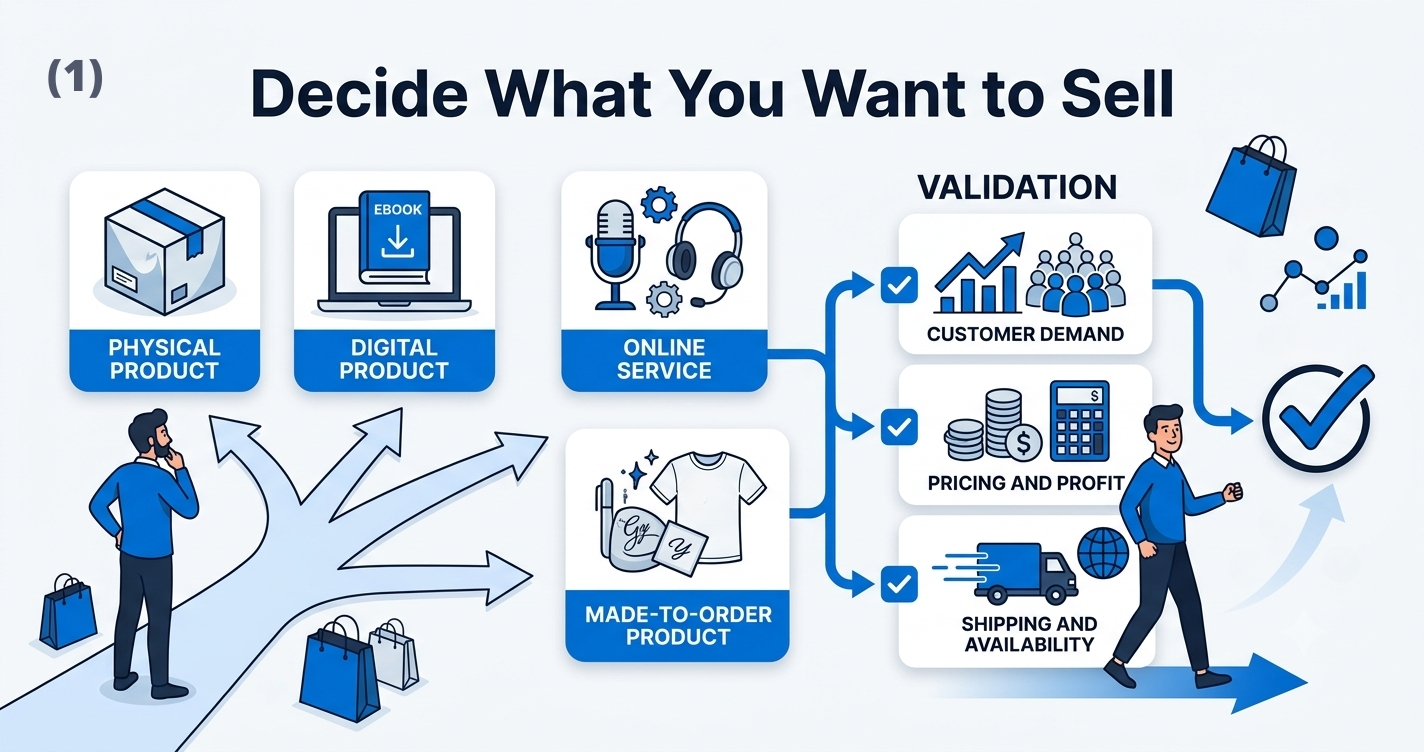
Most online stores fall into one of a few categories:
Physical products you make, buy wholesale or source from a supplier
Digital products like templates, courses or downloadable files
Services booked or purchased online
Made-to-order products, where items are produced after a customer orders
If you're already selling on social media, you likely have a head start here. The question isn't always "what should I sell" but "how do I turn what I'm already selling into a proper store."
Validate the Product Idea
Before building anything, it's worth checking whether the idea holds up. A few practical ways to do this:
Customer demand. Are people already asking about this product, searching for it, or buying something similar from you?
Existing competition. A bit of competition usually means there's a real market. No competition at all can be a warning sign, not an opportunity.
Product availability. Can you reliably source or produce enough stock to keep up with orders?
Pricing potential. Will customers pay enough to cover your costs and leave you a reasonable margin?
Profit margins. Factor in the product cost, packaging, payment fees and shipping before deciding a price is workable.
Shipping difficulty. Fragile, oversized or perishable items complicate delivery and cost more to ship.
This step matters more than people expect. Learning how to start an online business usually starts with getting honest answers to these questions before spending money on a platform or inventory.
Step 2: Identify Your Target Customers
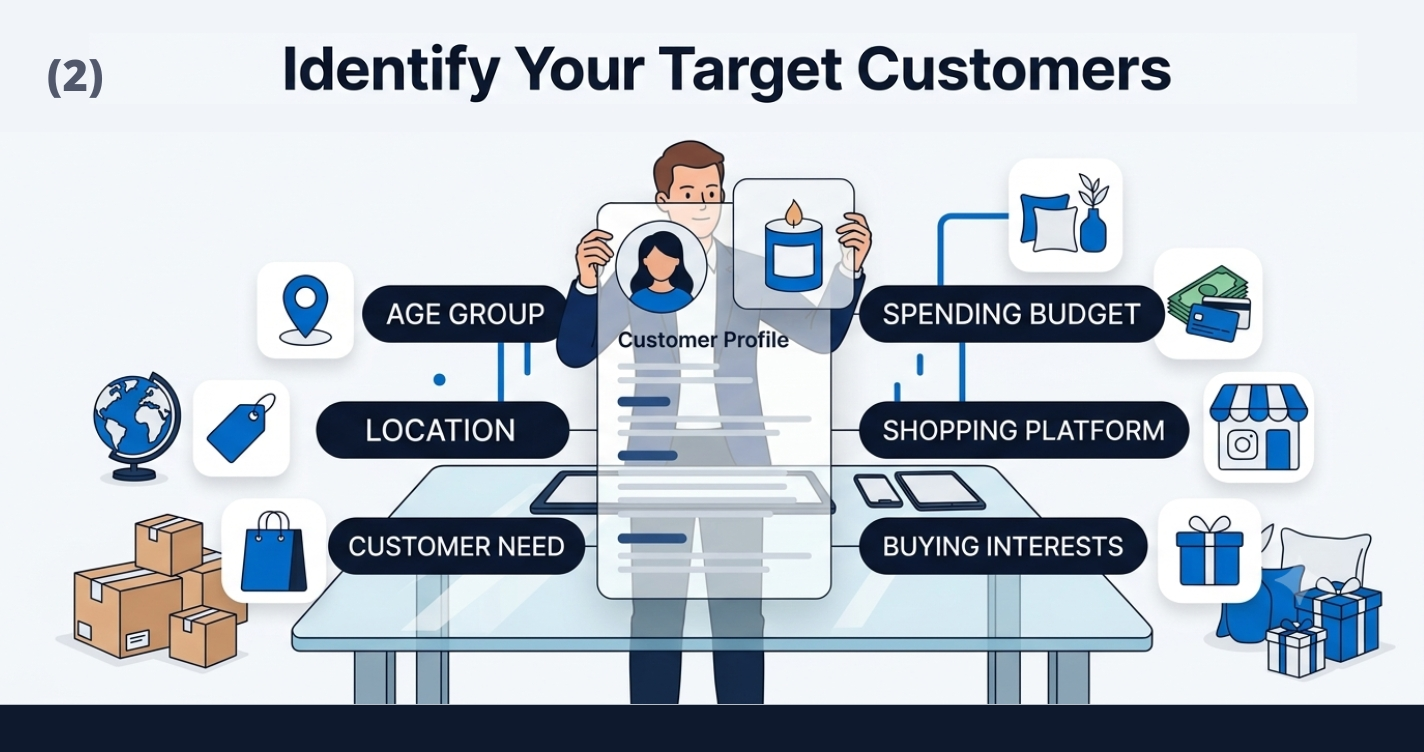
A store built for "everyone" usually ends up speaking to no one. It helps to get specific about:
Who the product is actually for
Where these customers are located
What problem or need the product solves for them
What they can realistically afford to spend
Where they currently shop for similar products
Example customer profile: Say you sell handmade candles. Your customer might be a woman in her late twenties to forties, living in an urban area, who buys home décor items on Instagram and is willing to spend $25 to $40 on a gift-worthy candle. Knowing this shapes everything from your product photos to your pricing to where you promote the store.
You don't need a formal marketing document for this. A few sentences describing your typical customer is enough to guide decisions later.
Step 3: Choose How You Will Sell Your Products
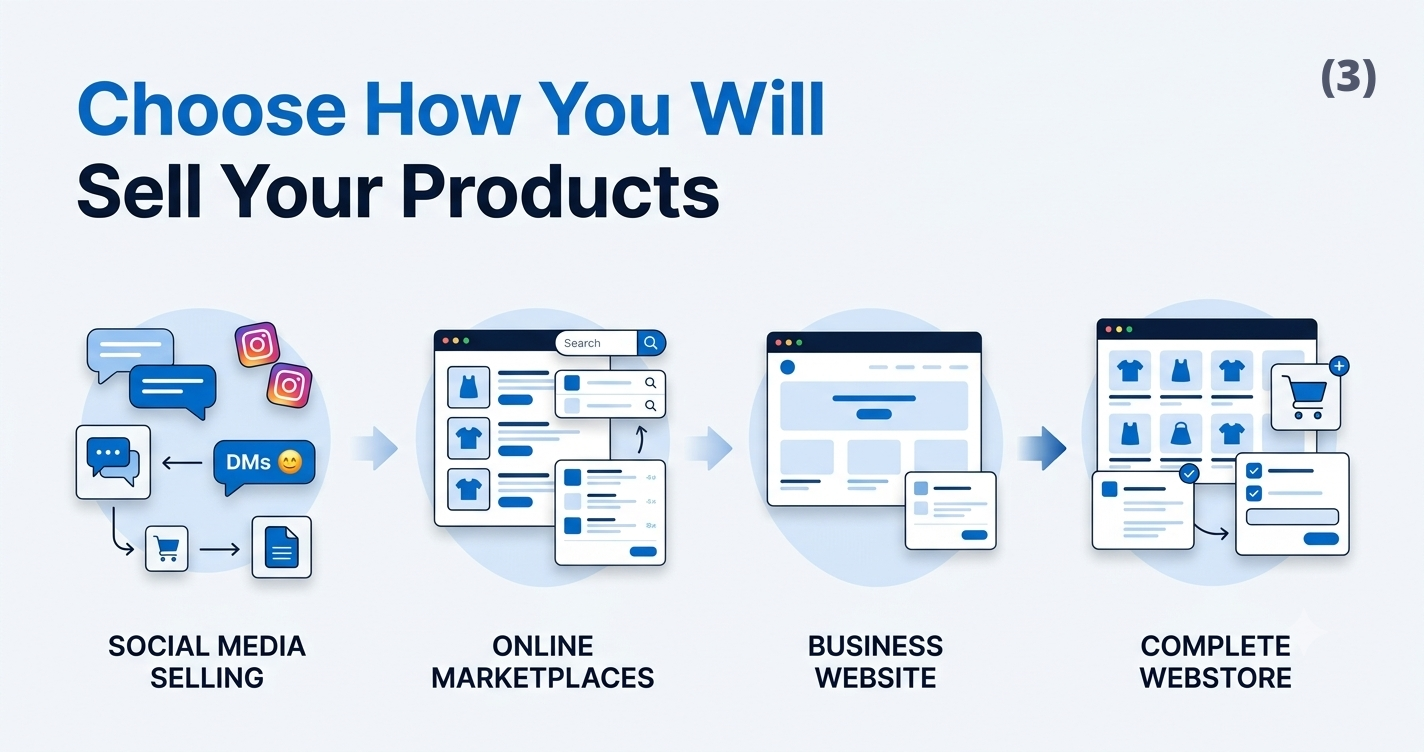
There are a few common paths, and each one suits a different stage of business:
Social media selling. Good for testing an idea with minimal setup, but hard to scale and easy to lose track of orders.
Online marketplaces. Places like Etsy or Amazon give you built-in traffic, but you're competing on their terms and paying their fees.
A basic business website. Useful for credibility and information, though it often lacks a full shopping experience.
A complete webstore. Gives you a proper product catalogue, cart and checkout, and puts you in control of the customer experience.
None of these is automatically "better." A brand-new seller testing a product might start on social media, while a business ready to grow past manual order-taking usually needs a full webstore. If you're trying to decide between these options for your specific situation,
Step 4: Choose the Right Online Store Platform
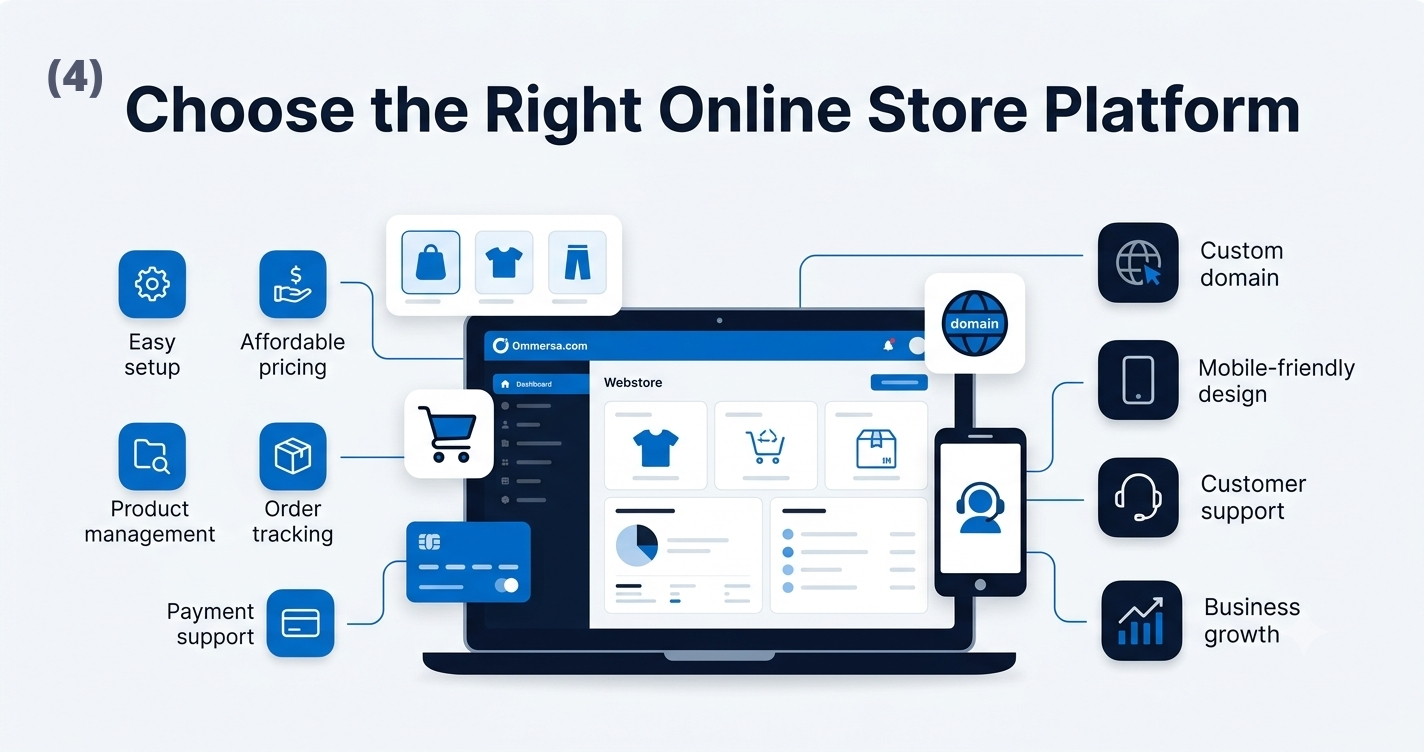
An ecommerce platform is the software that runs your store behind the scenes. It handles your product catalogue, shopping cart, checkout, order management and usually your payments too, so you're not stitching together separate tools.
When comparing platforms, pay attention to:
Ease of setup. Can you get a working store live without hiring a developer?
Pricing. Monthly fees, transaction fees and any hidden costs for extra features.
Product management. How easy it is to add, edit and organize products.
Order management. Whether you can track, update and fulfil orders from one place.
Payment support. Which payment methods and providers the platform works with.
Custom domain support. Whether you can use your own domain name instead of a generic subdomain.
Mobile responsiveness. Most shoppers browse on their phones, so this isn't optional.
Customer support. Available help when something breaks or you're stuck.
Ability to grow. Room to add products, categories and features as the business expands.
Website Builder vs Custom Ecommerce Development
There are generally three routes into building a store:
A ready-made ecommerce website or store builder, where most of the technical work is already done for you
A self-hosted system, which gives you more control but requires more setup and maintenance
Custom ecommerce web development, where a store is built specifically around your business needs
A ready-made builder is usually the fastest and most affordable way to get started, especially if you're new to running a store. Custom development can offer more flexibility and control over how the store looks and functions, but it typically needs a larger budget, more time and ongoing technical support. Neither option is wrong. It comes down to how complex your needs are and what resources you have available right now.
Step 5: Choose Your Store Name and Domain
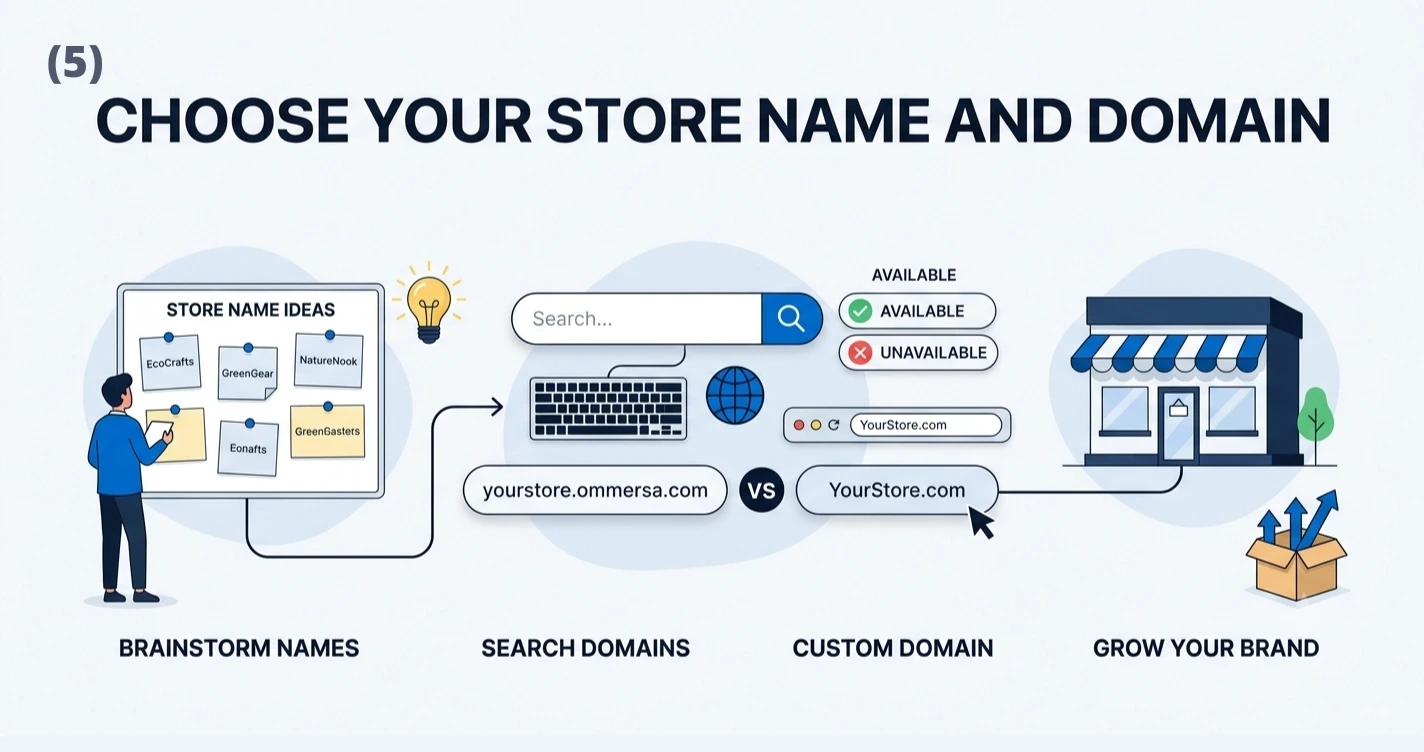
Your store name is often the first thing a customer notices, so it's worth a bit of thought.
Keep it simple and memorable. If people can't spell it after hearing it once, they'll struggle to find you again.
Avoid difficult spelling, unusual punctuation or names that only make sense with an explanation.
Check domain availability before you commit. A great name is less useful if the matching domain is already taken.
Understand the difference between a platform subdomain (like yourstore.platform.com) and a custom domain (like yourstore.com). A custom domain looks more professional and is easier for customers to remember.
Pick a name that leaves room for future product expansion. A name tied too closely to one product category can box you in later.
Domain-name checklist:
Easy to spell and pronounce
Available as a domain
Not too close to an existing brand
Works even if you add new products later
Available (or close to available) on your main social platforms
Step 6: Create Your Online Store Website
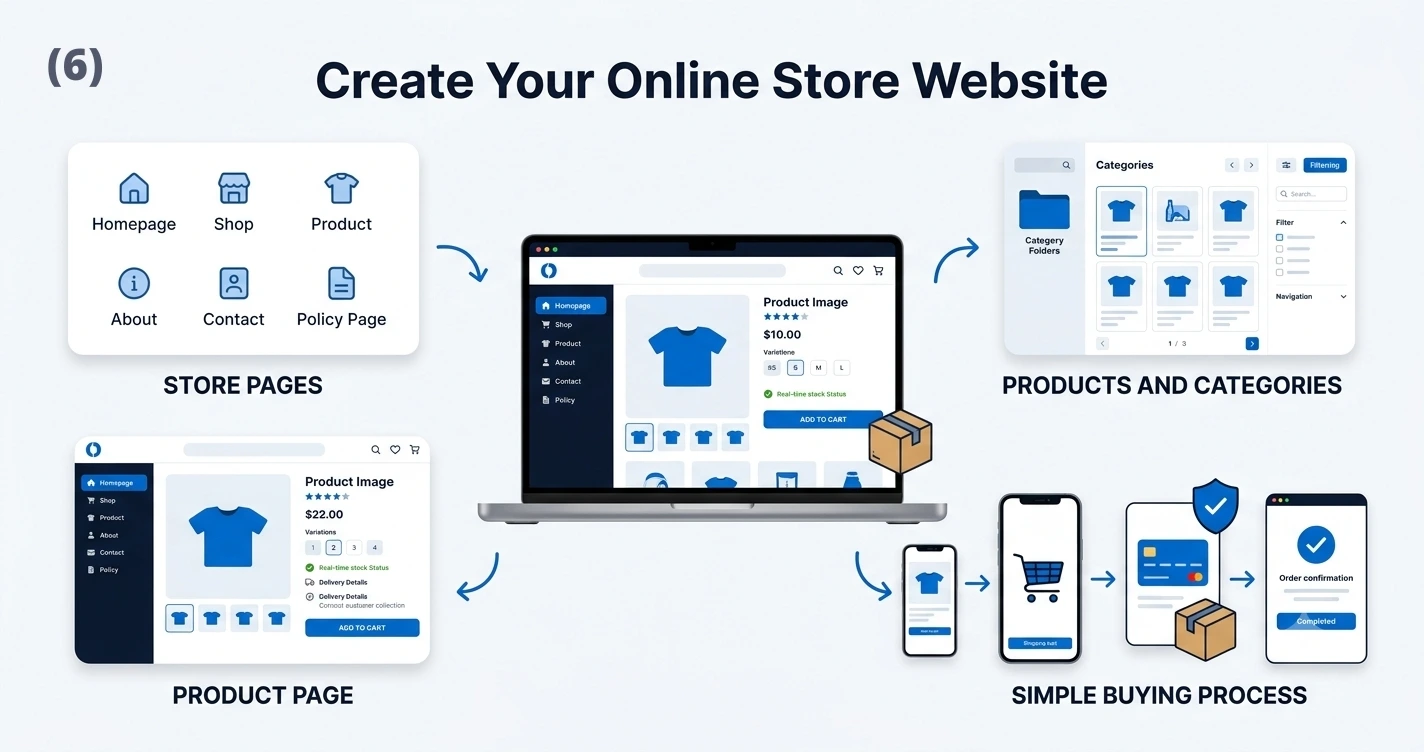
This is where things start to feel real. Whether you're figuring out how to create online store website pages for the first time or wondering how to make webshop setup less overwhelming, the process is more straightforward than it looks once you break it into pieces.
Set Up the Main Store Pages
Every store, regardless of size, needs a few core pages:
Homepage. Introduces your brand and guides visitors toward your products.
Shop or product catalogue. Where customers browse everything you sell.
Product pages. Detailed information for each individual item.
About page. Builds trust by explaining who you are and what you stand for.
Contact page. Gives customers a way to reach you with questions.
Shipping and returns page. Sets expectations before someone buys.
Privacy policy. Explains how customer data is handled.
Terms and conditions. Outlines the rules of using your store.
Organize Products and Categories
Once your pages are in place, think about how customers will actually find things. Clear categories, filters and simple navigation make the difference between a shopper finding what they want quickly and giving up halfway through. If you sell candles, for example, grouping by scent, size or occasion is usually more useful than one long unsorted list.
Create Useful Product Pages
Each product page should give shoppers everything they need to make a decision without asking you directly. That means:
Product name
Clear images from multiple angles
An honest, specific description
Price
Variations, such as size or colour
Stock status
Delivery information
A visible add-to-cart button
Keep the Buying Process Simple
The easier it is to buy, the more people actually will. Pay attention to:
Mobile-friendly design, since most shoppers will browse on a phone
Clear navigation that doesn't require guesswork
Visible prices with no surprises at checkout
Simple checkout, ideally in as few steps as possible
Trust information, like secure payment badges or clear contact details
Easy access to contact and policy details, so questions can be answered before they become hesitations
Step 7: Add Your Products
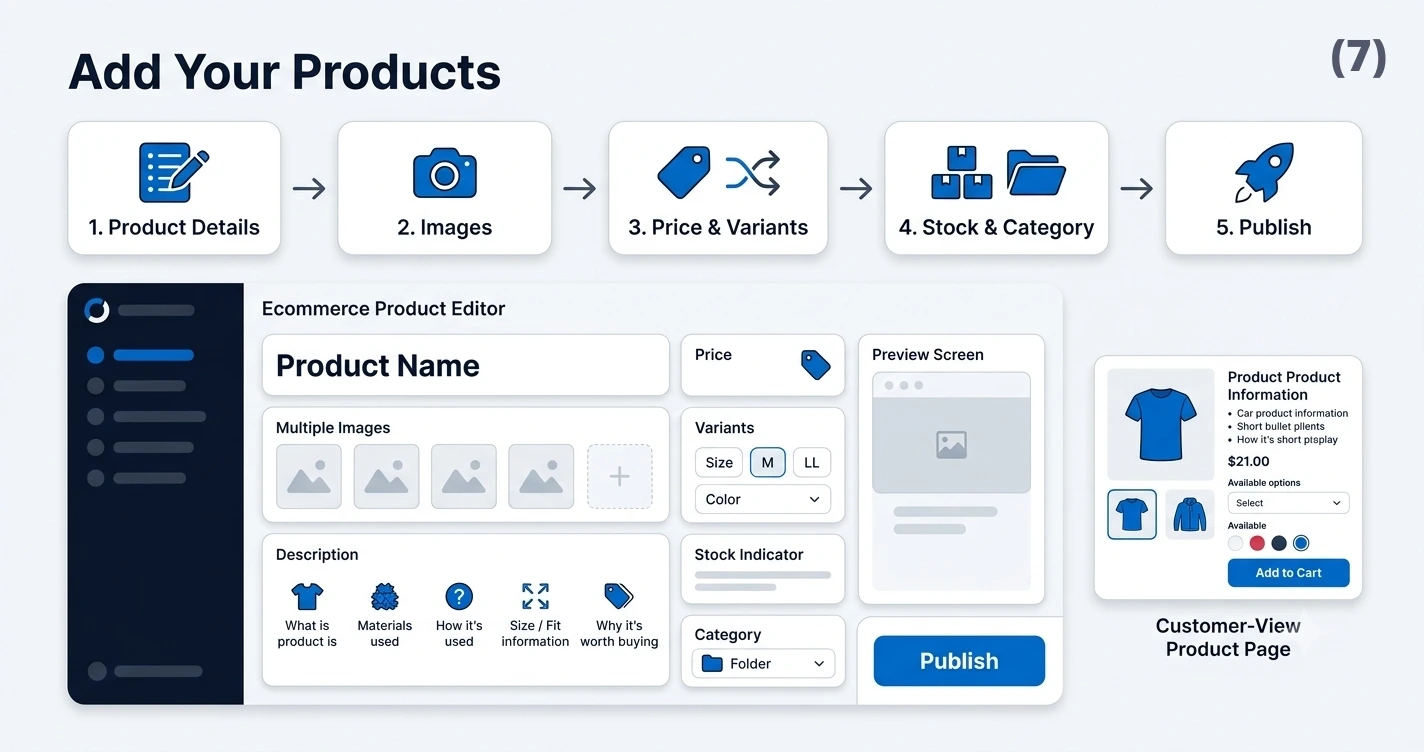
Once your store structure is ready, adding products usually follows the same pattern each time:
Add the product name.
Upload clear product images.
Write a useful description.
Set the price.
Add options or variants.
Enter stock information.
Assign the appropriate category.
Review the page before publishing.
A useful product description answers the questions a customer would ask in person: what it's made of, what it's used for, what size or fit to expect, and why it's worth buying. Avoid copying descriptions straight from a manufacturer or supplier. Beyond the fact that duplicate content doesn't help you get found in search results, a generic description also misses the chance to explain the product the way your specific customer needs to hear it.
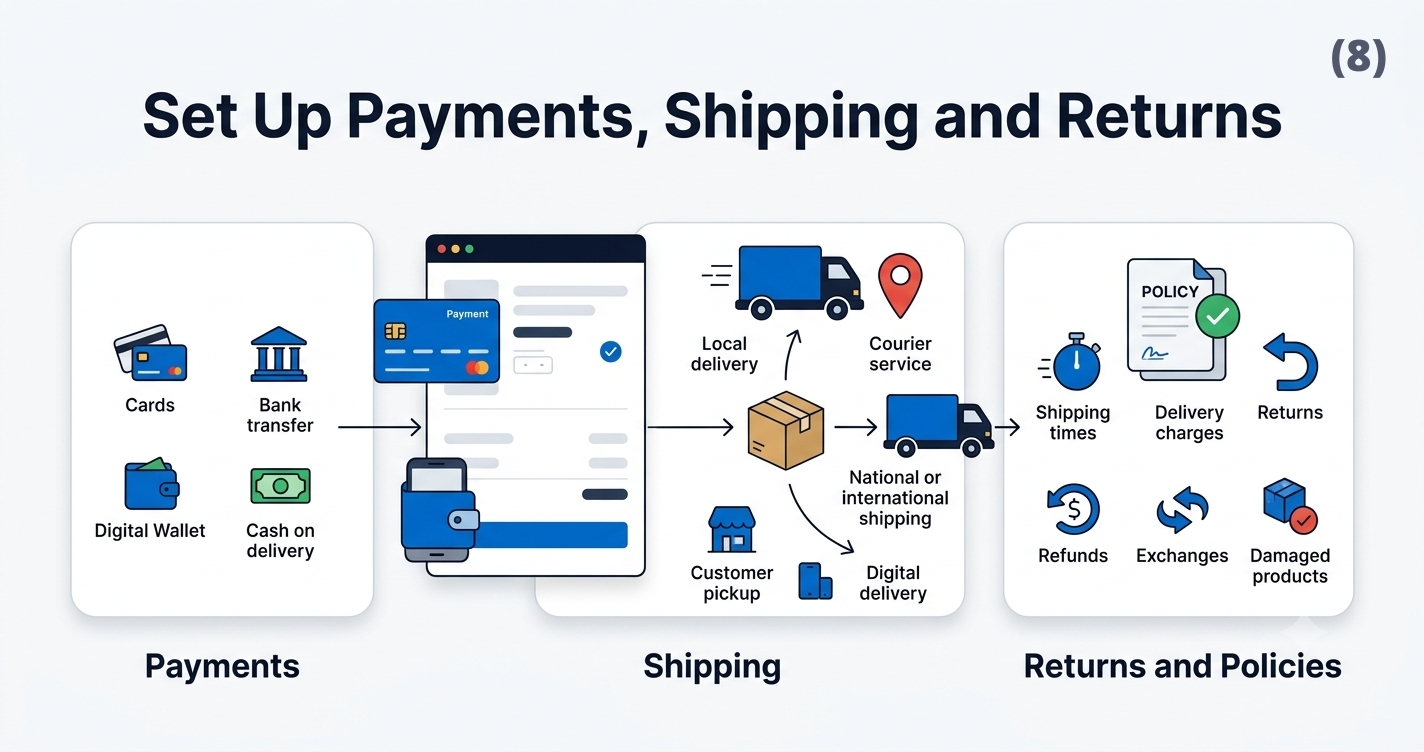
Step 8: Set Up Payments, Shipping and Returns
Choose Payment Methods
Customers expect convenient ways to pay, which usually includes some combination of:
Debit and credit cards
Bank transfers
Digital wallets
Cash on delivery, where relevant to your market
The right mix depends on your customers and location, so it's worth checking what payment options are common and trusted in your target market before settling on one.
Decide How Orders Will Be Delivered
Fulfilment options generally include:
Local delivery
Courier services
National shipping
International shipping
Digital delivery, for downloadable products
Customer pickup, where that makes sense for your business
Create Clear Store Policies
Vague policies create support headaches later. Make sure customers can easily find clear information about:
Shipping times
Delivery charges
Returns
Refunds
Exchanges
Damaged or incorrect products
A quick note: legal and tax requirements for online selling vary by country, region and business type. This guide doesn't cover legal advice, so it's worth checking local requirements or speaking to a professional before you launch.
Step 9: Test Your Online Store Before Launching
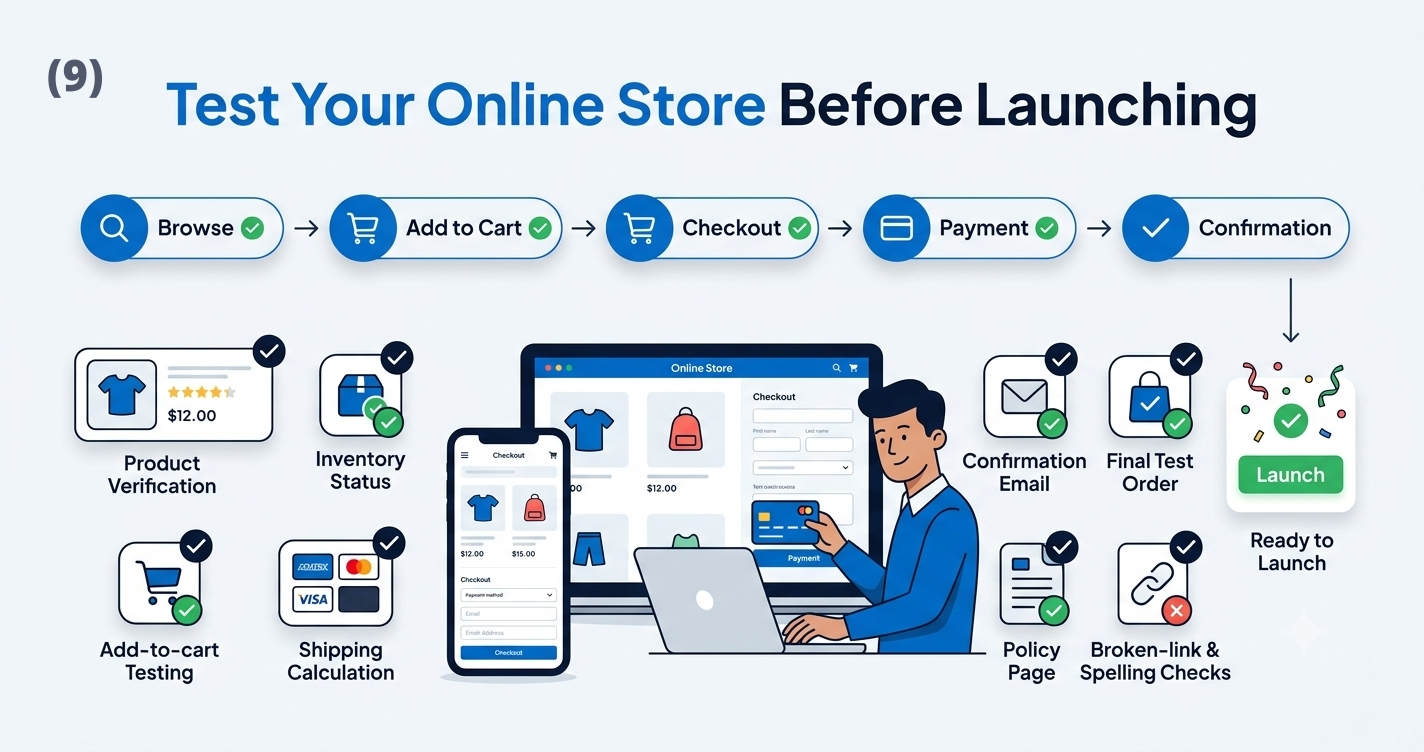
Before inviting customers in, walk through the entire experience yourself. A practical pre-launch checklist:
Store looks correct on mobile and desktop
Product prices are accurate
Product images load properly
Inventory numbers are correct
Add-to-cart function works
Checkout completes without errors
Payment methods process correctly
Shipping charges calculate properly
Confirmation emails or messages are sent
Contact forms actually reach you
Policy pages are complete and accurate
No spelling errors or broken links
A full test order has been placed
Placing a real test order, from browsing to checkout to confirmation, is one of the most useful things you can do before launch. It's the only way to see your store exactly as a customer would, and it often catches small problems that are easy to miss when you've been staring at the backend for weeks.
Step 10: Launch and Promote Your Store
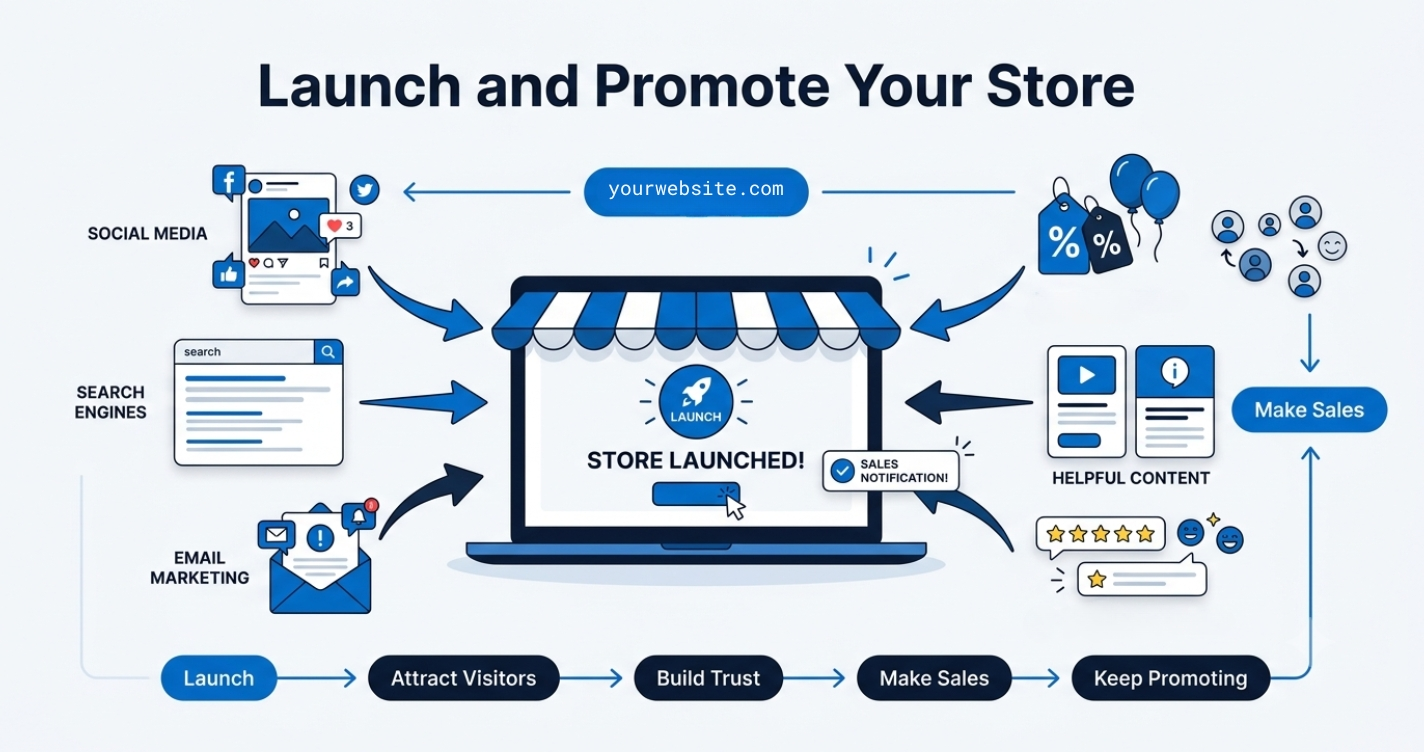
Once your store passes testing, it's time to open it up. A few beginner-friendly ways to get the first wave of traffic and sales:
Social media. Announce the launch where you already have an audience.
Search engine optimization. Basic SEO helps people find your store when searching for products like yours.
Email marketing. Even a small list of past customers or interested contacts is worth reaching out to.
Existing contacts and customers. People who already know and trust you are often your first sales.
Introductory offers. A modest launch discount can encourage first-time buyers to commit.
Helpful content. Guides, tips or behind-the-scenes posts that connect to what you sell.
Customer reviews. Early reviews build trust for the next round of visitors.
This is just the first stage. Promotion is an ongoing effort, not a one-time task, so don't feel like you need a complete marketing plan before you open. Your store doesn't need to be perfect before launching. It needs to be functional, trustworthy and tested.
How Much Does It Cost to Start an Online Store?
Costs vary a lot depending on your business model, platform choice and how much customization you want. Here's a general breakdown of what to budget for:
There's no single "correct" number here, since a home-based seller with a handful of products will spend very differently from someone launching a large catalogue with custom development. The important part is knowing which categories apply to your situation so nothing catches you off guard.
Common Mistakes to Avoid When Starting an Online Store
Choosing an unnecessarily complicated platform. Start with something you can actually manage yourself, and upgrade later if you outgrow it.
Launching without understanding the customer. Go back to Step 2 if your product page copy or pricing feels like guesswork.
Using poor product images. Invest in decent lighting and a clean background, even without professional equipment.
Writing incomplete product descriptions. Answer the obvious questions a buyer would ask before they have to message you.
Hiding delivery costs. Show shipping charges early, not as a surprise at checkout.
Ignoring mobile users. Test your store on a phone, not just a laptop.
Adding too many products before testing. Get the buying experience right with a small catalogue before scaling up.
Using a confusing checkout process. Fewer steps and fewer required fields generally mean more completed orders.
Launching without placing a test order. Catch the obvious problems before customers do.
Expecting sales without promotion. A store rarely sells itself the moment it goes live. Plan for at least some active promotion after launch.
How Ommersa WebStore Helps Beginners Start Selling Online
Ommersa WebStore makes it easier for beginners and small businesses to create and manage an online store without unnecessary technical complexity.
Key Features
Add and update products easily
Organize products into categories
Manage customer orders from one place
Start with a store subdomain
Connect a custom domain when needed
Reduce dependency on developers for regular updates
It is especially useful for businesses selling through Instagram, Facebook, or WhatsApp. Instead of answering every product question manually, you can give customers a proper store where they can view products and place orders.
Ommersa WebStore keeps the process simple, so you can focus more on your products, customers, and sales. Have a look at it now: Create Your E-commerce Store Quickly
Start Building Your Online Store Today
Learning how to start an online store isn't really about mastering one big skill. It's about working through a series of smaller decisions, one at a time, until they add up to something customers can actually use.
To recap the process:
Choose what to sell
Understand your customer
Select an appropriate platform
Build the store
Add your products
Configure payments and delivery
Test the complete experience
Launch and improve gradually
You don't need everything perfect on day one. Most successful stores started small, made mistakes early, and improved as they learned what their customers actually responded to.
If you're ready to put these steps into action without getting stuck on the technical side, Ommersa WebStore gives you a straightforward place to start building, adding products and managing orders as your store grows.
Frequently Asked Questions
How do I create an online store as a beginner?
Start by deciding what you want to sell and who you're selling to, then choose a platform that lets you build a store without needing to code. From there, set up your core pages, add your products with clear images and descriptions, connect a payment method, and test the full buying process before you launch.
Can I create my own online store without coding?
Yes. Most modern ecommerce platforms are built specifically so beginners can set up a store without any coding knowledge. You choose a layout, add your products, and configure settings like payments and shipping through a visual interface rather than writing code.
What is the easiest way to make a webshop?
The easiest way is to use a ready-made ecommerce platform rather than building a store from scratch. These platforms handle the technical setup, including hosting, security and checkout functionality, so you can focus on adding products and getting your store ready to sell.
How much money do I need to start an online store?
It depends on your product, platform and how much you invest in things like photography or marketing. At minimum, expect to budget for a platform subscription, inventory (unless you're dropshipping or selling digital products), and basic payment processing fees. Costs can stay fairly low for a simple store or grow significantly with more customization.
Can I start an online store without inventory?
Yes. Options like dropshipping, print-on-demand, digital products and made-to-order items all let you sell without holding stock upfront. Each comes with its own trade-offs around margins and fulfilment speed, so it's worth researching which model fits your product and budget.
Do I need a business licence to sell products online?
This depends on your location, the products you sell and how your business is structured. Requirements vary widely between countries and regions, so it's best to check local regulations or speak with a professional rather than assume the same rules apply everywhere.
What pages should an online store website have?
At minimum, your store should include a homepage, a shop or product catalogue, individual product pages, an about page, a contact page, and policy pages covering shipping, returns, privacy and terms and conditions. These give customers the information they need to buy with confidence.